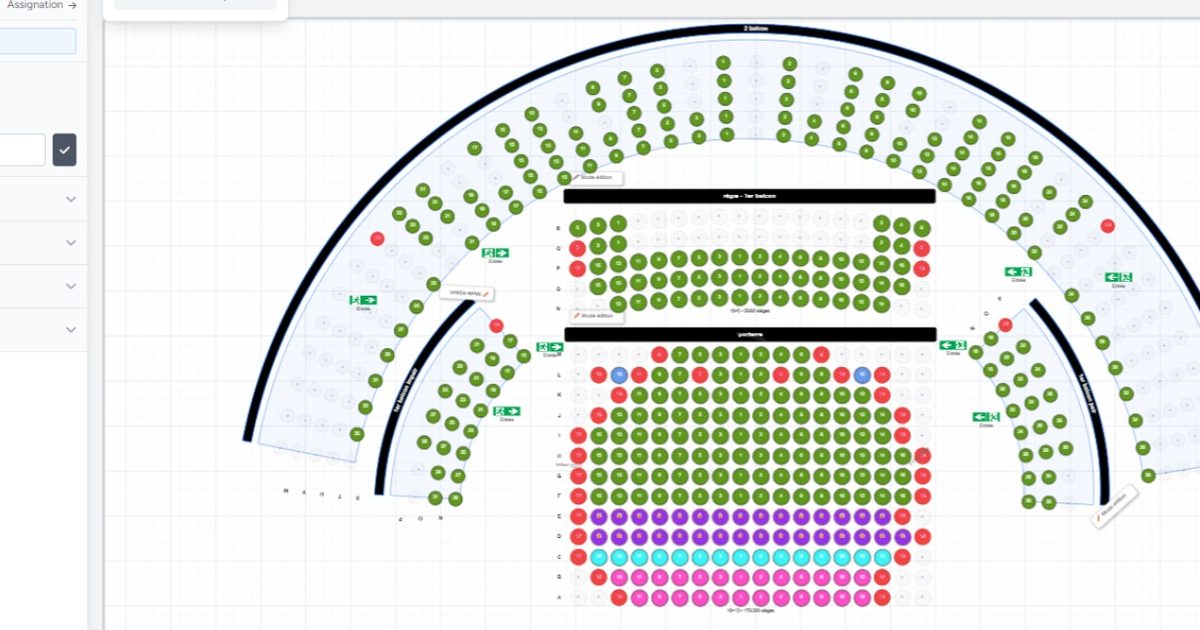
The free interactive seating chart software for your ticketing
Build your seating chart exactly as your venue is, in just a few minutes. Ticketing software designed for small associations as well as large venues: two families of stands, isolated seats, free zones, structural objects.
What makes our seating chart software unique
Billettera's chart builder is the result of several years of development alongside concert promoters, theater operators, sports event organizers and festival producers. Every feature exists because a real-world organizer needed it. Rather than a basic seat grid, you get a true architectural design tool. Stands deform to match the real geometry of your venue. Seats, free zones and objects assemble in a single plan, with no structural constraints. The most complete builder on the French market, and entirely free, reserved seating included, no extra cost, no size limit.
Every building block to recreate your venue in the seating chart
Your plan is made of four types of elements you combine freely. Each block can be moved, deformed, renamed and reused as many times as you want.
Tribune ordinaire
Rangées parallèles, dimensions paramétrables.
Tribune en arc
Sièges en courbe autour d'un point central.
Isolated seats
For seats that don't belong to any stand: control booth, accessibility, seat of honor, isolated bench.
Free zones
Areas without numbered seats for general admission. Rectangle or ellipse, configurable capacity.
Structural objects
Stage, bar, restrooms, emergency exits, the visual landmarks that help your audience find their way.
Two stand families for every configuration
Whether your venue is rectangular or semicircular, each family has its own deformation tools. Here is exactly what they share and what sets them apart.
| Feature |
Straight stands
|
Curved stands
|
|---|---|---|
| Native shape & dimensions | ||
| Forme native | Rectangulaire, rangées droites | Circulaire, rangées concentriques |
| Dimensions maximales | Jusqu'à 50 × 50 sièges | Jusqu'à 100 rangées × 200 sièges |
| Family-specific deformations | ||
| Courbure des rangées | Native, déjà courbée | |
| Inclinaison (effet perspective) | — | |
| Aplatissement (flatten) | — | |
| Pincement (pinch) | — | |
| Angles d'arc (start / end) | — | yes — 0 à 360° chacun |
| Rayon paramétrable | — | |
| Orientation des sièges (centre / extérieur) | — | |
| Shared deformations | ||
| Quinconce (rangées décalées) | yes — angulaire | |
| Espacement entre rangées | ||
| Rotation globale 360° | ||
| Aperçu en temps réel des transformations | ||
| Shared features | ||
| 5 stratégies de numérotation des sièges | ||
| Détection automatique des segments | ||
| Nommage personnalisé des rangées (lettres / chiffres) | ||
| Suppression individuelle de sièges | ||
| Statut « réservé » (vente guichet uniquement) | ||
| Assignation à une catégorie de placement | ||
✓ available · — not applicable
Sculpt your stands to match your venue
No venue is perfectly rectangular or perfectly circular. Our stands deform in real time to reproduce reality, not an idealized geometry.
Straight stand deformations
Curve
Bends the rows upward or downward, like in a gently sloped hall or a rectangular amphitheater.
Tilt
Offsets columns horizontally from one row to the next, creating a perspective or tiered effect.
Stagger
Shifts odd rows by half a seat. The "movie theater" effect that improves sightlines.
Row spacing
Adds vertical breathing room between rows. Useful for venues with aisles or intermediate access ways.
Global rotation
Rotates the entire stand through 360°. Orient it toward the stage no matter where it sits.
Curved stand deformations
Flatten
Compresses or stretches the arc vertically. Perfect circle → ellipse wider than tall, or vice versa.
Pinch
Modulates the radius by angle. Creates teardrop, horseshoe or asymmetric half-moon shapes.
Arc angles
Sets the angular range: quarter, half, three-quarter or full circle, each exactly reproducible.
Angular stagger
Shifts odd rows by half an angle for the "ancient amphitheater" look.
Row spacing
Depth between concentric arcs. For tight bleachers or widely spaced rows.
Global rotation
Orients the arc in any direction, independently of the stage.
Radius
Changes the overall size of the arc without altering its internal geometry.
Sculpt down to the single seat
Beyond global deformations, two tools to adapt the stand to the physical reality of your venue, seat by seat. Available on both straight and curved stands.
Deactivating a seat
The seat stays visible on the chart but becomes unavailable for sale on the current event. Ideal for a seat occupied by a recording camera, a broken seat… The seat turns red with a cross. The neighbor on either side immediately knows nobody will be sitting next to them. The chart remains reusable for another event where the same seat can be made available again.
Permanent deletion (gap)
The seat fully disappears from the stand and creates a real gap in the grid. Use it to represent a pillar, an access staircase or any physical feature of your venue that no deformation can reproduce.
Renaming an individual seat
One seat, one unique name. Manually rename any seat to give it a custom label: "Box 1", "Folding seat", "Control booth". Automatic uniqueness check within the row.
Automatic bulk renaming
Apply a numbering strategy (left → right, right → left, center → outward…) to an entire row in one click. Names are generated automatically for each seat according to the chosen scheme.
Per-row direction inversion
Each row can have its own numbering direction, independently of the other rows in the stand. Handy for Italian-style theaters where numbering flips on either side of the central aisle.
All naming strategies
Freely combine letters, numbers, directions, offsets and custom labels. Whatever convention your venue uses, you can reproduce it exactly. The five standard strategies are detailed below.
Real-time preview — every deformation is visible instantly, no "Apply" button.
Five numbering strategies for your seating chart
Every venue has its own numbering logic. Ours respect the real conventions of live performance, including historical venues where seat 1 is not necessarily on the left.
Left → Right
Classic Western reading order: 1, 2, 3… The most common.
Right → Left
Reverse numbering: 7, 6, 5… For venues whose main entrance is on the right or to respect historical numbering.
Center → Outward
Number 1 at center, then 2 and 3 on each side: 6, 4, 2, 1, 3, 5, 7. Typical of Italian-style theaters where the best seats are at the center.
Step of 2 (skip)
Numbering by jumps: 1, 3, 5, 7… or 2, 4, 6, 8… For venues with rows split into two alternating blocks (odd / even).
Custom starting number
Start at 1, at 100 or at 1000. Useful to continue numbering from one row to the next, or to mirror an existing numbering.
Automatic segment detection
A deleted seat in the middle of a row automatically splits the row into two segments. Each block is renumbered independently. No more gaps in the sequence when you add an aisle or a pillar in the middle of a row.
Structural objects: your venue at a glance
Your audience can't find their way with bare seats alone. Add the physical features of your venue, the stage, the bar, the restrooms, the exits, so they find their spot at first sight.
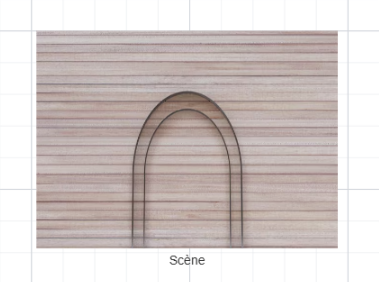
Stage
Clearly indicates the direction of the action and the "right way up" of the venue.
Bar
A meaningful selling point: some attendees prefer a seat close to the bar.
Restrooms
Essential convenience to signpost. Reassures families and people with reduced mobility at checkout.
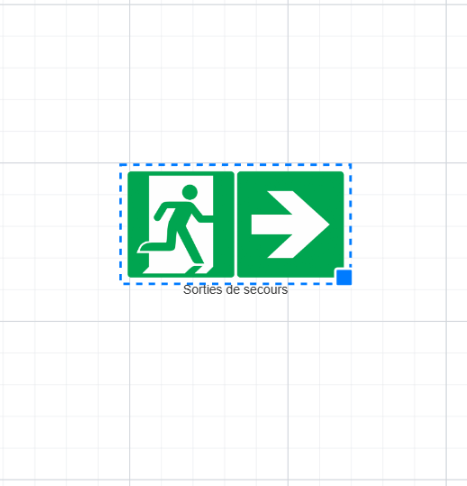
Emergency exits
Reassures and informs. A regulatory obligation you display directly on the chart.
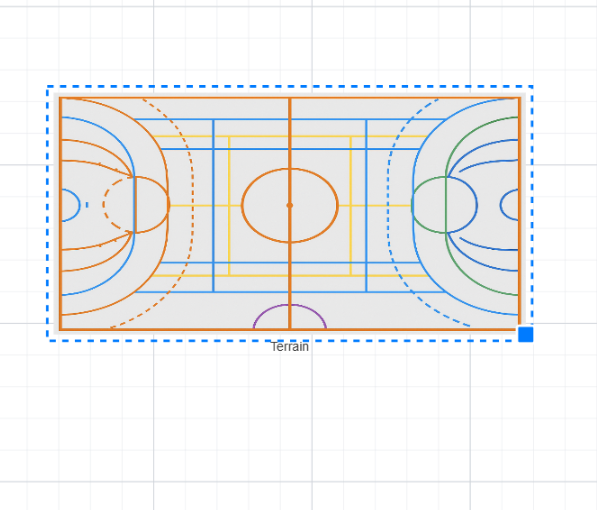
Court
Marks a central playing area for indoor sports events (basketball, handball, futsal, wrestling, boxing). Sets the event context immediately.
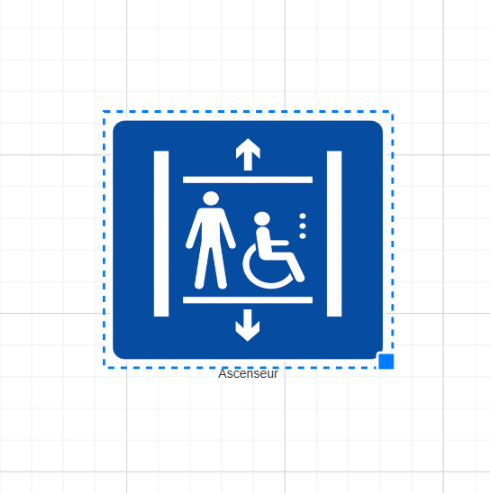
Elevator
Elevator icon to direct people with reduced mobility to the right access. Essential for multi-level venues.
Drag-and-drop, free resizing, 360° rotation, custom renaming ("Main bar", "VIP bar", "Stage-left exit"…).
The hybrid plan: your real freedom
Nobody is forced to choose between "fully reserved" and "fully general admission". Our plan is designed to mix both in a single ticket sale, and even to go further.
General admission inside a reserved plan
In the middle of your numbered stands, you add a free zone: a standing pit, a parterre, a balcony without assigned seats, a standing VIP area near the bar.
On the audience side, it's one single sale: they freely choose between a specific seat in the stands OR an entry to the free zone. One selection, one cart, one transaction.
On the organizer side, the free zone has its own capacity (for example, 200 standing places) and its own price. You track in real time the filling of every zone, numbered or general admission.
Concrete example: a concert with 500 numbered seats and a standing pit of 200 places.
One ticketing platform for the seats AND the shop. One customer payment. One bookkeeping flow.
What if your ticketing also sold your sandwiches?
A free zone is technically a counter of N possible sales. Nothing forces these sales to be "places". They can be sandwiches, drinks, t-shirts, programs, cloakroom slots or any product tied to your event.
In a few clicks, you turn a free zone into a shop: the "Snack zone" with a capacity of 500, and you attach prices named "Sandwich €4", "Drink €2", "Coffee €1". Your audience buys their seat and their sandwich in the same cart, in one single Stripe transaction.
No add-on module to buy, no third-party plugin to connect, it's just your ticketing platform extending its reach. Perfect for: integrated food trucks, official merchandising, paid cloakroom, premium bar access, collector printed programs.
Categories and prices: a seating chart designed for your ticketing
The seating chart only handles geometry and zones. Prices come afterwards, in a completely separate step. This separation is deliberate, it gives you a flexibility that "price-attached-to-seat" models simply can't match.
Step 1 — In the chart: seating categories
You create your categories by color: VIP, Balcony, Stalls, Pit, Category 1, Category 2… You assign each seat (or each free zone) to a category. That's it. No prices at this stage.
Step 2 — After the chart: prices
Once the chart is saved, you create your prices: Adult €50, Child €25, Student €20, Reduced price €15… You then attach them to the categories. A category can receive multiple prices (the VIP category can have an Adult and a Child price; the Stalls can have Adult, Student and Reduced).
Why this separation is powerful
- You reuse the same chart for several events at different prices, no need to redraw.
- You change your prices without touching the chart: weekend promotion, opening-night rate, mid-season "school group" addition.
- The same category serves both "reserved seats" and "shop products", the system makes no distinction.
Held seats: your strategic spots for box-office ticketing
For every seat already assigned to a category, you can mark it "held". The seat disappears from online sales but remains sellable at the box office. An essential feature for the real life of the performing arts.
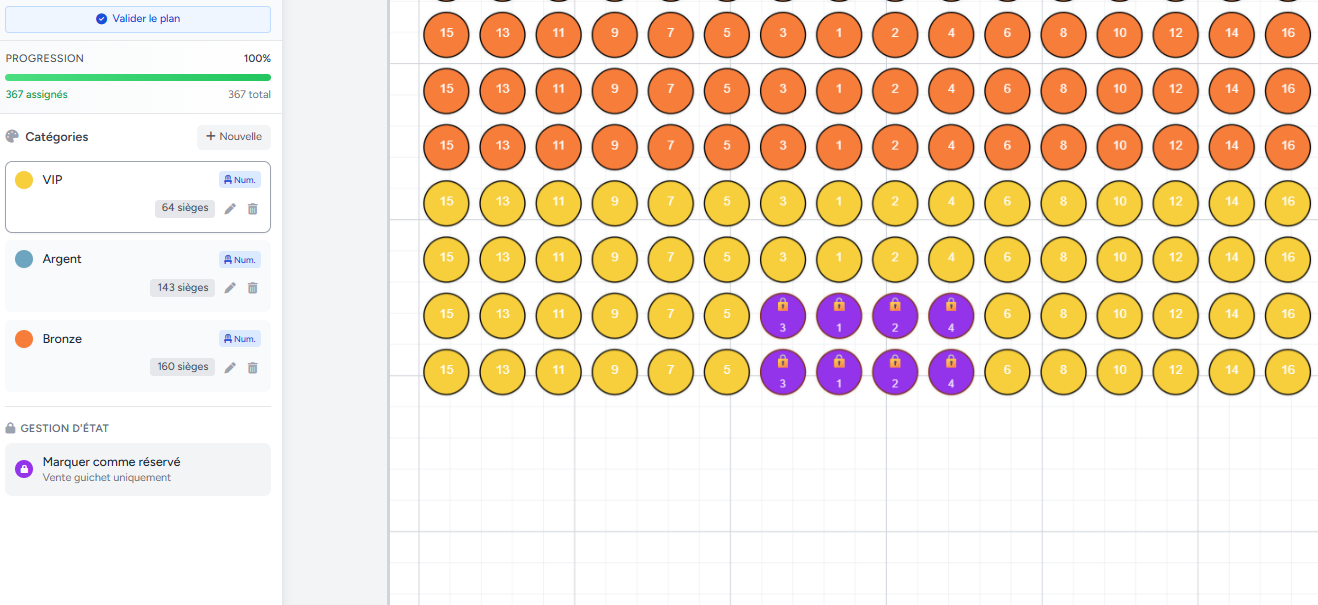
Held vs standard: what does this status change?
| Feature | Held seat | Standard seat |
|---|---|---|
| Visible on the online ticketing page | ||
| Buyable online by the public | ||
| Visible at the box office (seller) | ||
| Sellable at the box office on site | ||
| Counted in the total capacity | ||
| Keeps its category and color |
You can "un-hold" a seat at any time to put it back on online sale.
Five typical use cases
Box office quota: keep 10 to 20% of your capacity for spontaneous walk-in purchases on the day.
VIP and press invitations: hold the best seats for guests without risking that they get bought online by mistake.
Partners and sponsors: allocate seats without publicly disclosing their location.
Corporate group bookings (works councils, communities): block seats for the contingents negotiated upfront.
Mayor, elected officials, authorities: discreetly, with no public visibility, no risk of a sale error.
Software designed for seating charts of every size
No technical capacity limit: we have organizers building plans of 10 seats and others of more than 25,000. The tool stays smooth in every case thanks to several optimizations.
Rendering virtualization
Only the seats currently visible on screen are actually drawn. You can zoom in and out on a chart of thousands of seats with no slowdown.
Ghost mode during drag
When you move an entire stand, seats are temporarily hidden to guarantee instant smoothness, even on older computers.
Adaptive level of detail
Numbers and shadows are hidden automatically when zooming out, to let the overall structure stand out.
Non-destructive saving
Permanent indicator of unsaved changes and confirmation prompt if you close the tab without saving.
The seating chart experience on the audience side
The plan you design is exactly the one your audience sees on their screen. No "degraded version", no separate editor and buyer charts.
Interactive and responsive
Smooth plan on desktop, tablet and mobile. Pinch to zoom, tap to select.
Informative hover
On mouse hover (or mobile tap), the seat displays its row, number, category and price.
Visual selection
The chosen seat changes color instantly. Mini-cart at the bottom of the screen with a summary.
Temporary reservation
The selected seat is held for 15 minutes while the buyer finalizes their order. No risk of double sale.
Frequently asked questions about the seating chart
Build your seating chart for free right now
Free graphical editor, two stand families, reserved or general admission, hybrid plan, built-in shop — everything is included.
Start for free